

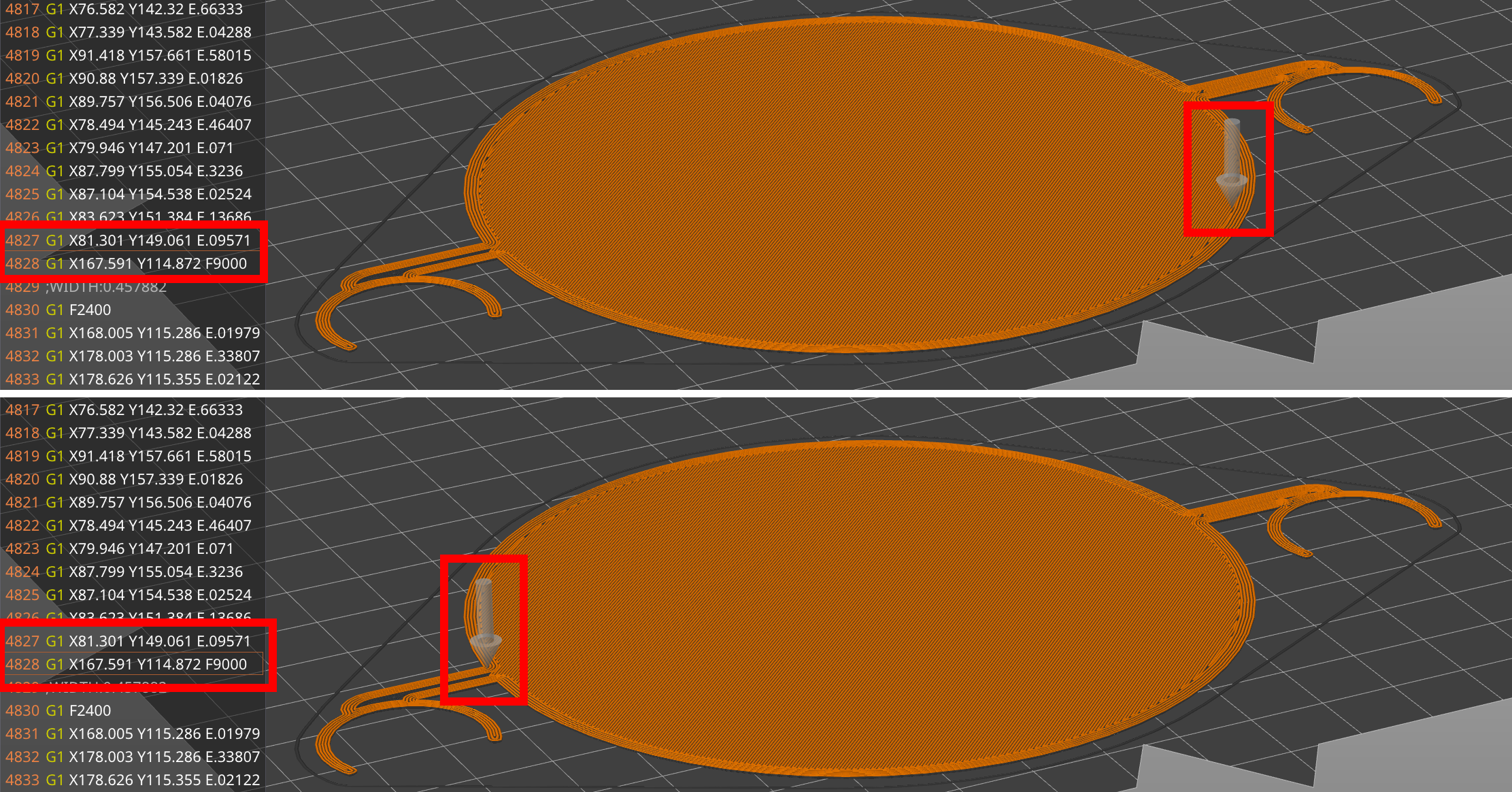
Hi, I’ve been printing for about a year, sometimes even successfully, but on this specific print, the nozzle drags through the layer for no reason. Usually, a Z-Hop prevents that, but on this very print, the Slicer somehow doesn’t add one. I’m using Orca Slicer (dockerized, Linuxserver.io image from last month, 15.09.25) and have enabled Z-Hop in the printhead config (all surfaces). It does add Z-Hops on other moves, just not here. And yes, I know my Z-Offset is a tinge too low, which is part of the problem, but I’d like to focus on Orca Slicer not Z-Hopping first.
Does anyone know about this issue? Slicing with PrusaSlicer works; I can just switch back to that one if I don’t find any features I miss from Orca Slicer.
Yup, can confirm - I do however rarely print stuff that needs to be pretty, which is why I take the blob over the noise of hearing my nozzle drag over something (and/or potentially knock something loose). Also, “aligned” seams hide the blobs on a lot of prints.
Edit: About those blobs: I think I just fixed them! I have a bowden-style printer and had adjusted “smooth time” from .04 s to .06 s previously - Due to the combination of settings I’m running now (Z-Hop + Wipe being the main culprits, probably), the blobs were not on the outside, but protruding upwards into the next layer, which caused nasty noises when the print head went over them. So I thought, why not crank that smooth time setting mid-print to see what happens? And I can confirm: At .12 s the blob is now basically gone. A tiny wisp remains, which can probably be fine-tuned away, but I guess that’s the magic setting I had to adjust for this issue. Iirc the consensus on this setting was “adjust a little bit for long bowden tubes, but it doesn’t really matter”. Ha!