

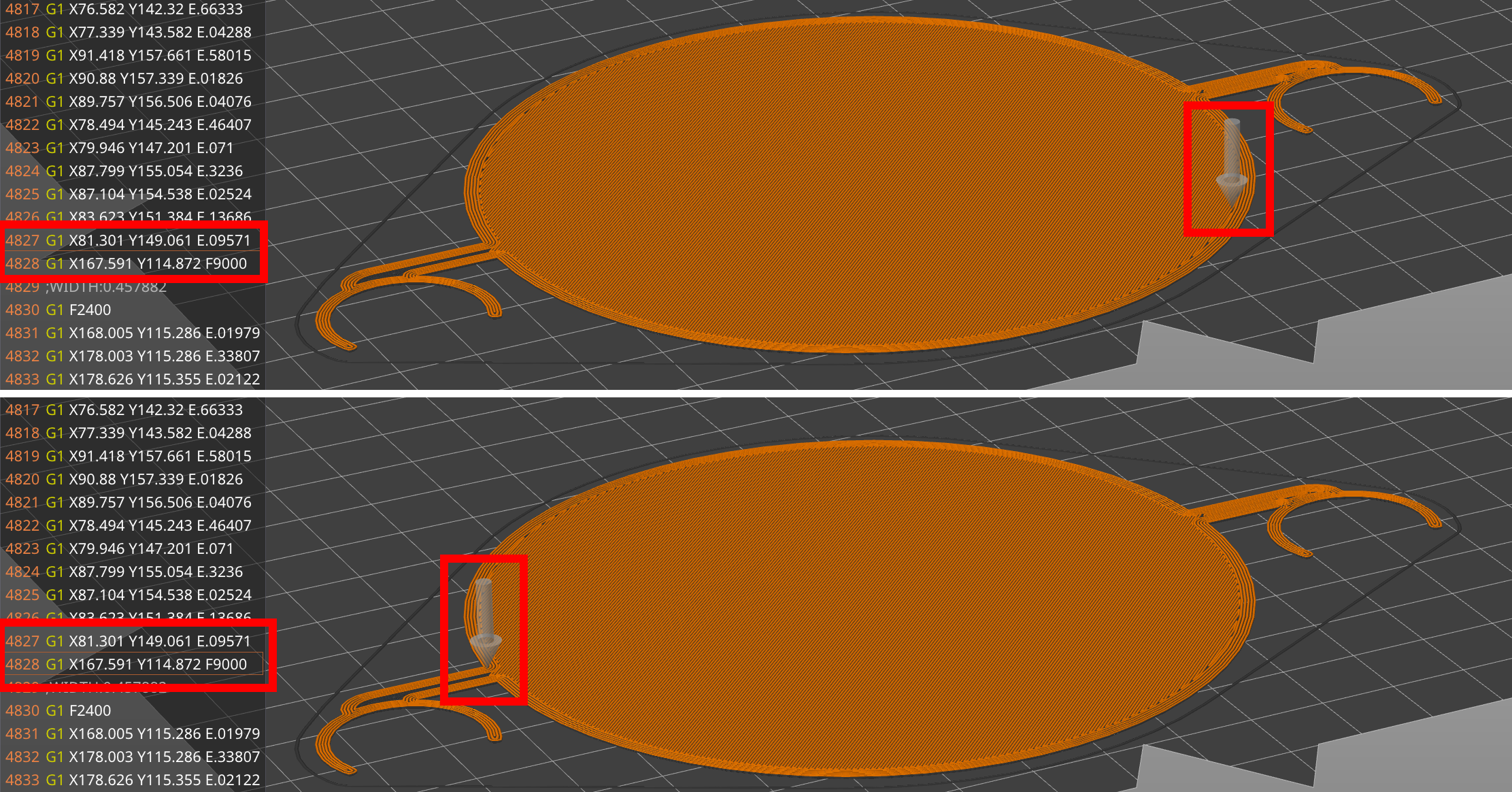
Hi, I’ve been printing for about a year, sometimes even successfully, but on this specific print, the nozzle drags through the layer for no reason. Usually, a Z-Hop prevents that, but on this very print, the Slicer somehow doesn’t add one. I’m using Orca Slicer (dockerized, Linuxserver.io image from last month, 15.09.25) and have enabled Z-Hop in the printhead config (all surfaces). It does add Z-Hops on other moves, just not here. And yes, I know my Z-Offset is a tinge too low, which is part of the problem, but I’d like to focus on Orca Slicer not Z-Hopping first.
Does anyone know about this issue? Slicing with PrusaSlicer works; I can just switch back to that one if I don’t find any features I miss from Orca Slicer.
So Prusa does zhop, but orca doesn’t? That’s interesting…
Does it act any different between classic and arachne?
Are Prusa and Orca orienting the object on the plate exactly the same? Like maybe one is turned 30° more than the other…
Both do Z-Hops in general, but on this specific move, on this specific part, Orca does not. I have a lot going on privately at the moment so I can’t troubleshoot Orca any further, unfortunately. Sorry.